Kitchen design software for kitchen studios and cabinet makers
Plans that come out true.
Drag cabinets into the room, measure walls and fillers to the millimetre, and send your client a quote, drawings and a 3D link, while your workshop gets the parts list.
Runs in the browser on desktop, tablet and phone. Nothing to install.
How it works
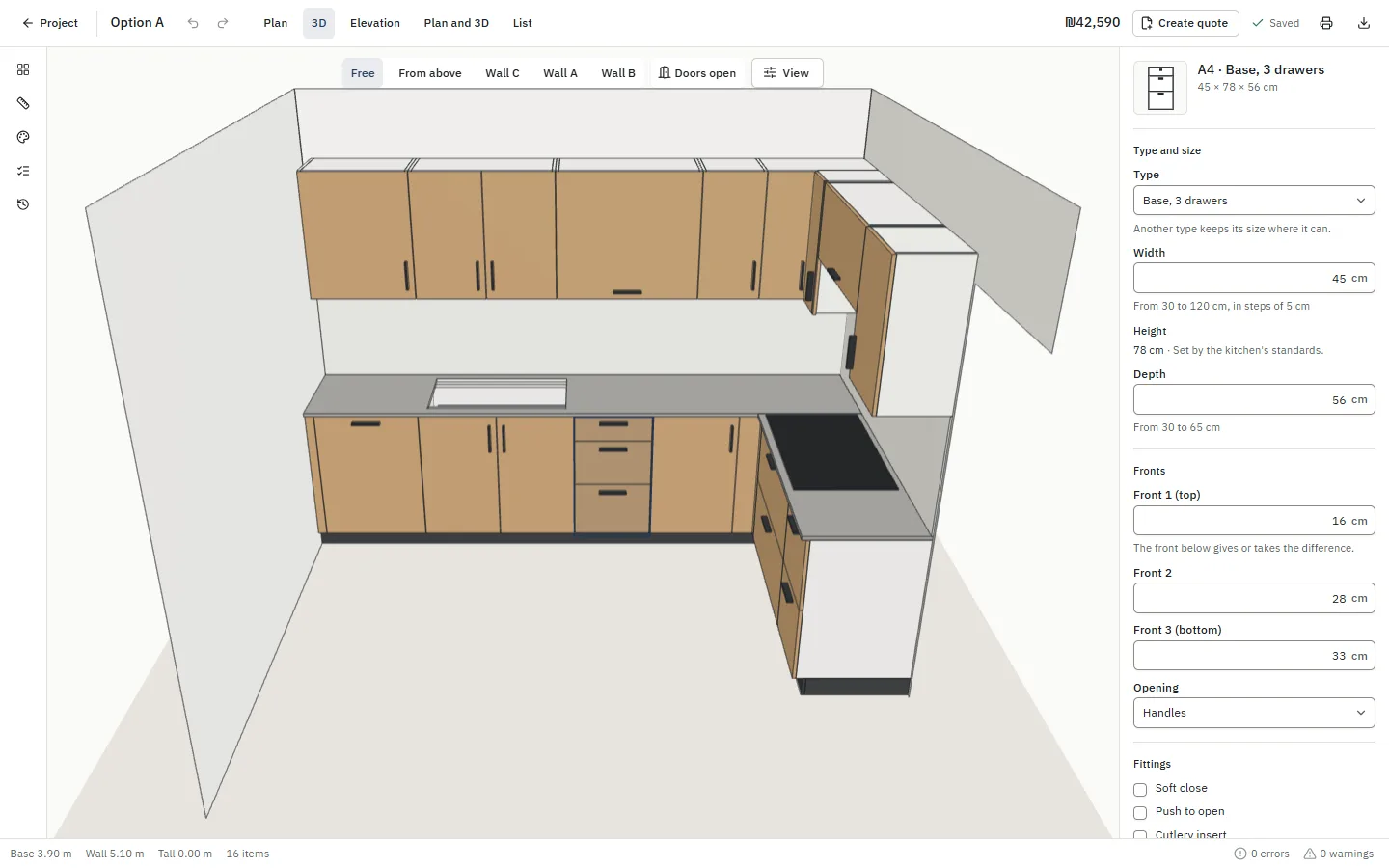
Draw the room
Walls, doors, windows, water and power points, each where it really is.
Drag in cabinets
Standard sizes snap into place. Change width, height, depth, fronts, shelves and corner systems in one panel.
Send and build
A quote, drawings and a 3D link for the client; a cut list and hardware list for the workshop.
One design, every document
Change a cabinet once and every document follows. Nothing is copied across by hand, so nothing goes out of step.
The design
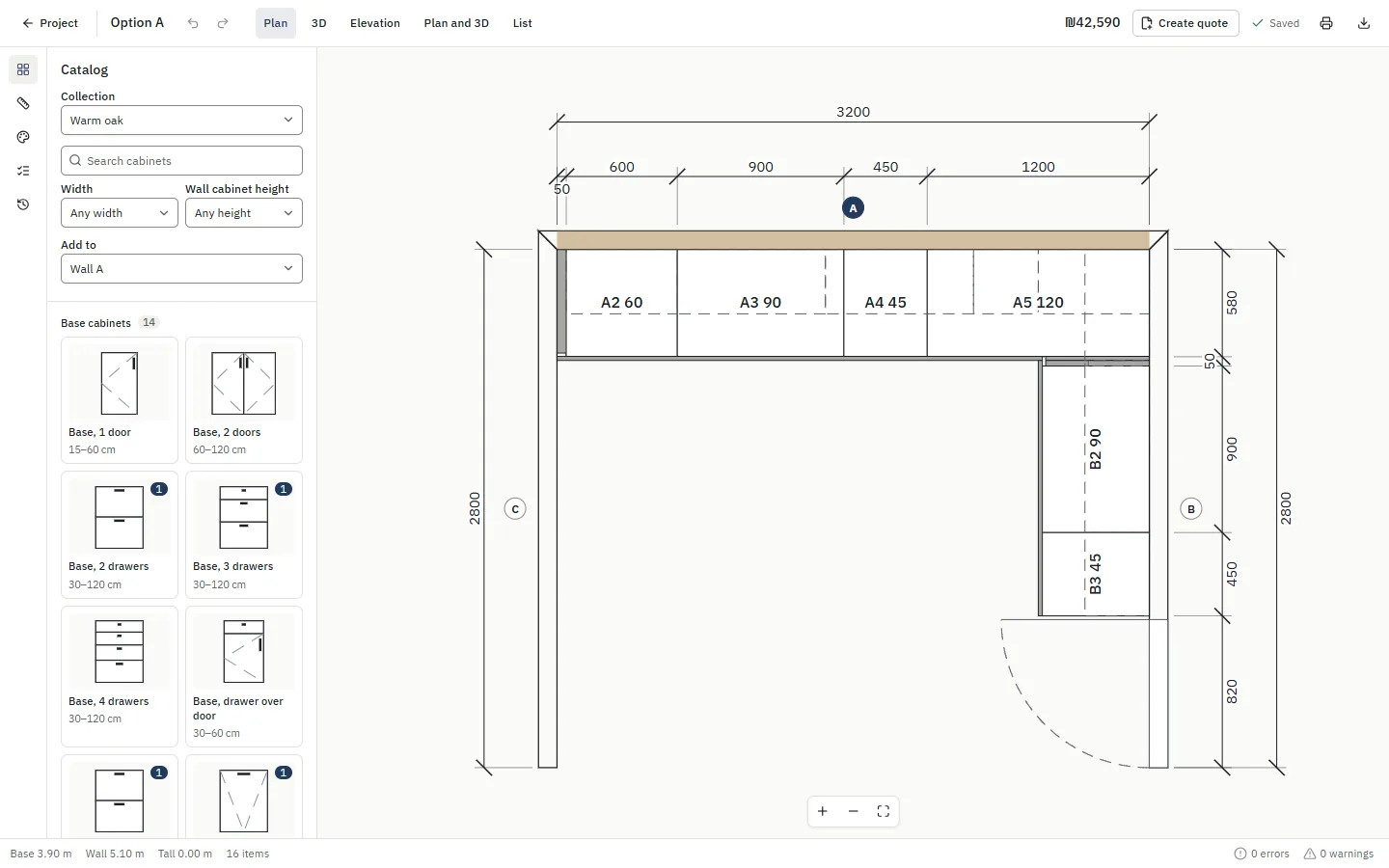
Plan and elevations
Dimensioned sheets at a true scale, A4 or A3.
Quote
Your prices and logo, with tax, discounts and versions.
Cut list and hardware
Parts with edge banding, fittings and labels, and CSV for Excel.
3D link for the client
They turn the kitchen around on their phone and approve online.
Carpenter pack
For homeowners: drawings and lists a carpenter builds from.
Every cabinet under your control.
Type, width, height, depth, finish and shelf heights in one panel. Carousels, LeMans and magic corners, pull-outs and drawer stacks come with the catalog.
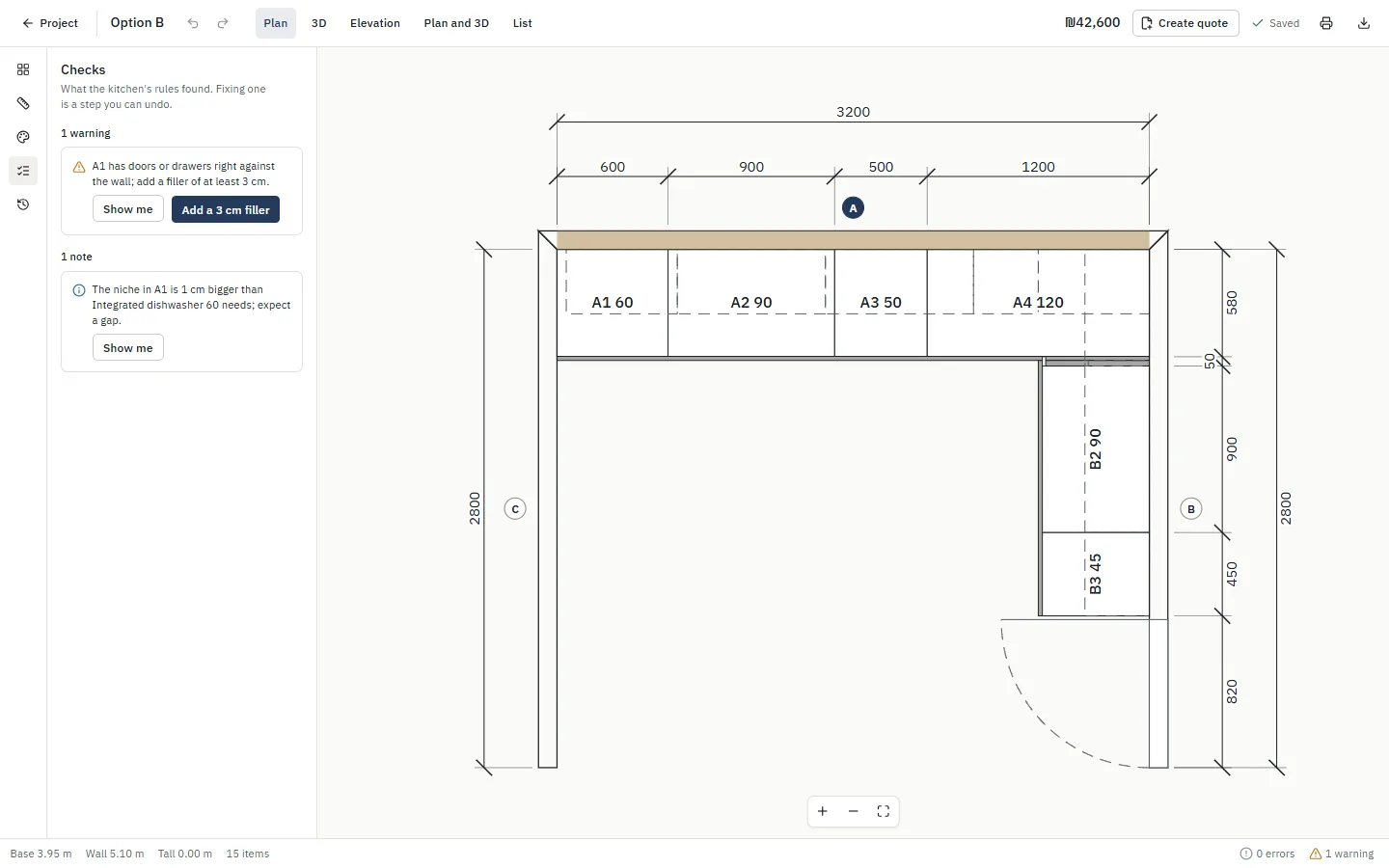
Mistakes caught before they're built.
Doors that hit an appliance, worktop gaps, clearances a cooktop needs. Each warning says why and offers the fix.
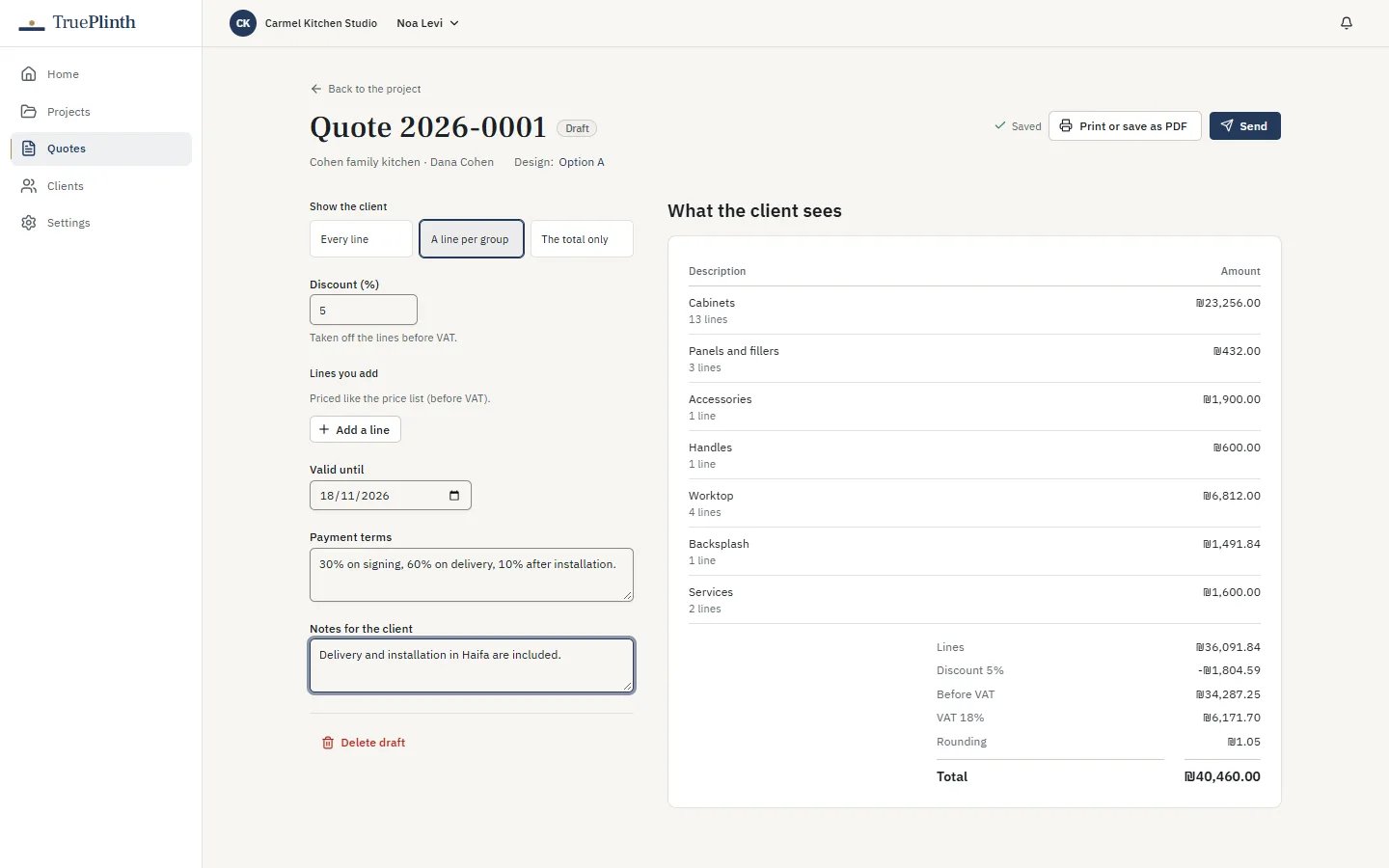
Quotes in minutes, from your own prices.
By the metre or one by one, with tax, discounts within each role's limit and numbered versions, under your logo.
Ready for the workshop.
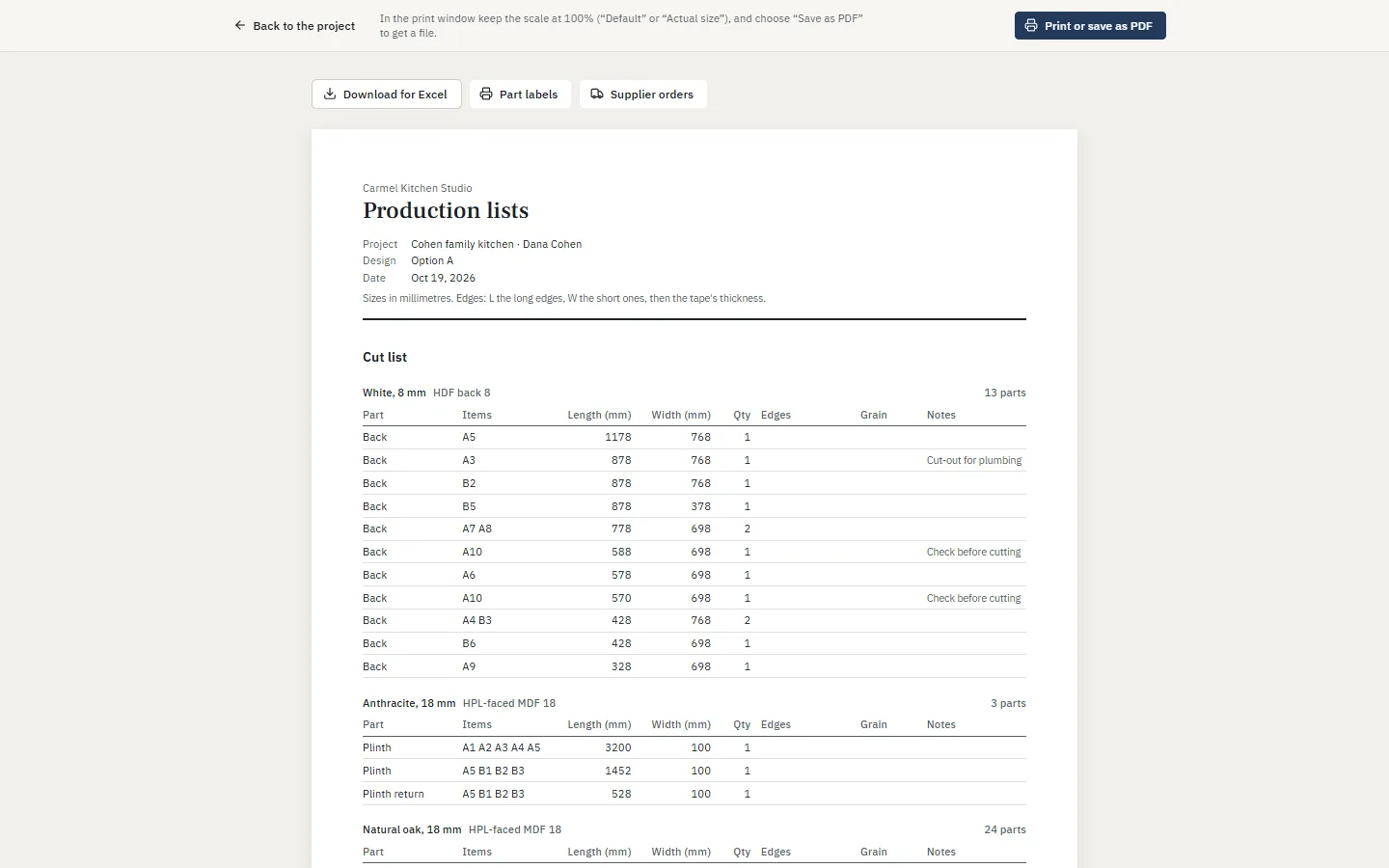
Cut list, edge banding, hardware and a label for every piece, from the same plan. Download them for Excel or your cutting software.
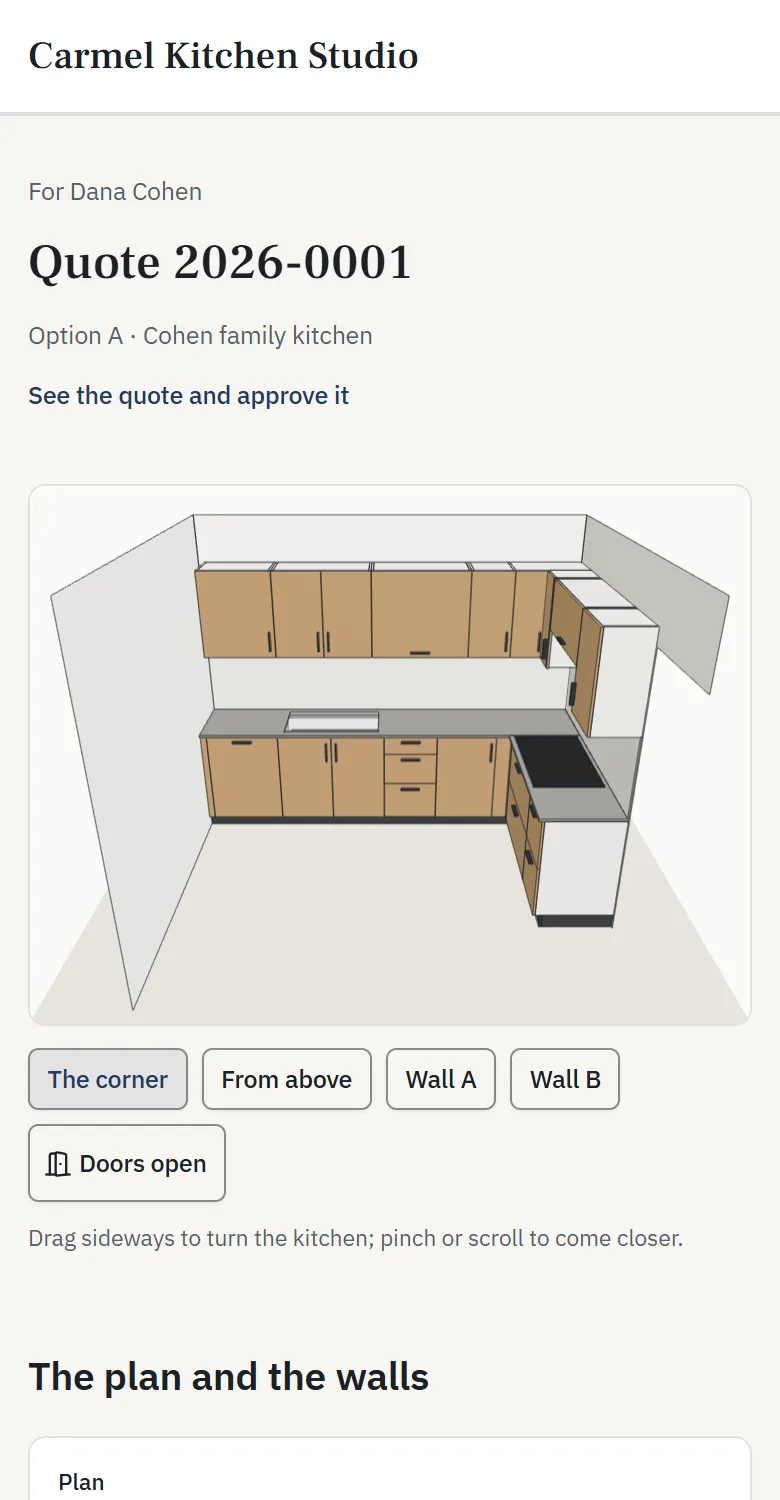
Show it in 3D, anywhere.
Send a link. Your client turns the kitchen around on their phone, opens the doors, reads the quote and approves it online.
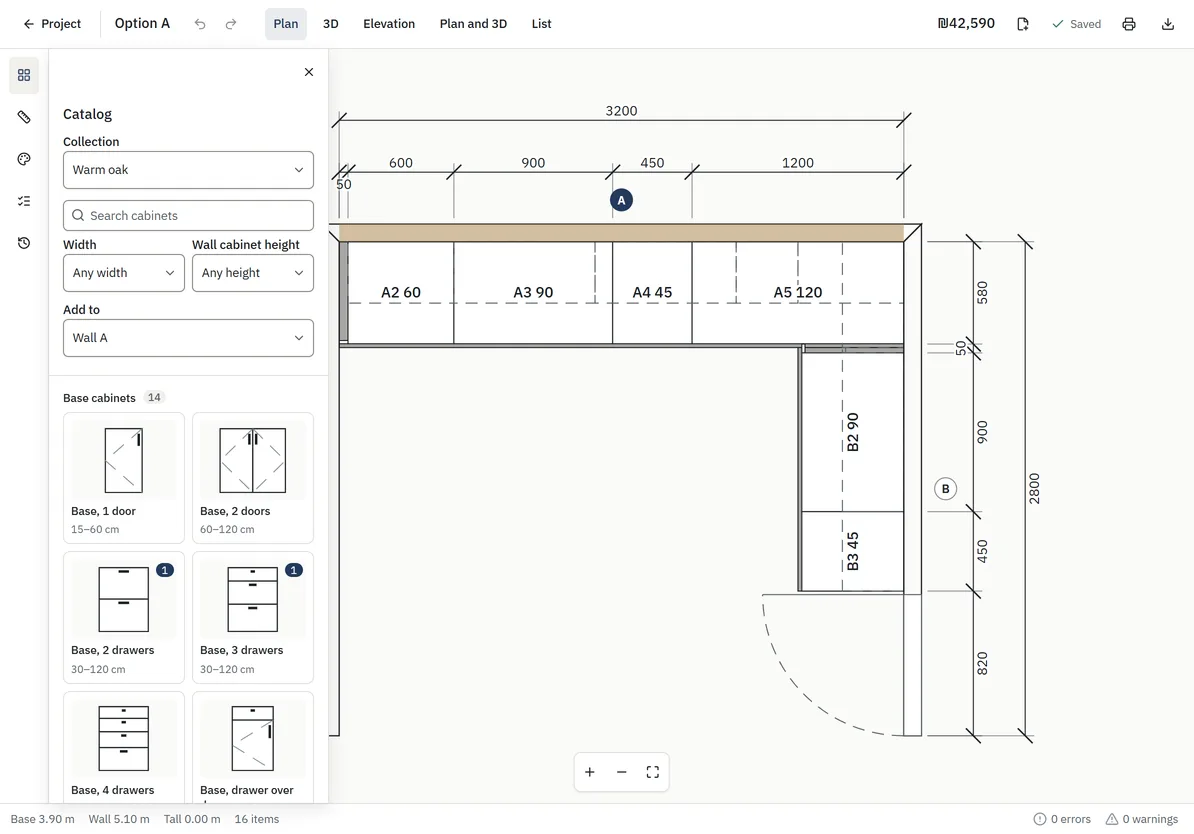
Works where you work.
Desktop in the showroom, a tablet at the client's home, your phone in between: the same plan, saved as you work.
Planning your own kitchen?
Design it for free. Pay once to unlock a pack your carpenter can build from: dimensioned drawings, a cabinet list and a parts list.
Plans for each way of working
- Kitchen businesses
- A monthly plan with seats for your team. Larger plans add quotes, production lists, your own catalog and prices, and more.
- Homeowners
- Design your kitchen for free. Pay once to unlock its carpenter pack.
Questions
Do I need to install anything?
No. It runs in the browser. On a phone or tablet you can add it to the home screen, and it opens like an app.
Can I use my own cabinet sizes, finishes and prices?
Yes, on plans with a catalog and a price list of your own: turn off what you don't make, narrow the widths you build, and price by the metre or one by one.
Do my clients need an account to see the design?
No. They open a link on any phone or computer, turn the kitchen around in 3D, and approve the quote there.
Who owns the designs?
You do. Your business's designs are seen only by your team, and you can download every design as a file at any time.
Which languages does it speak?
English, Hebrew, Russian and Arabic, for your team and for your clients: the layout mirrors for Hebrew and Arabic, and dimensions stay readable.
How much does it cost?
Businesses pay monthly for the plan that fits them; homeowners pay once per kitchen. The pricing page has the details.