Design your kitchen yourself.
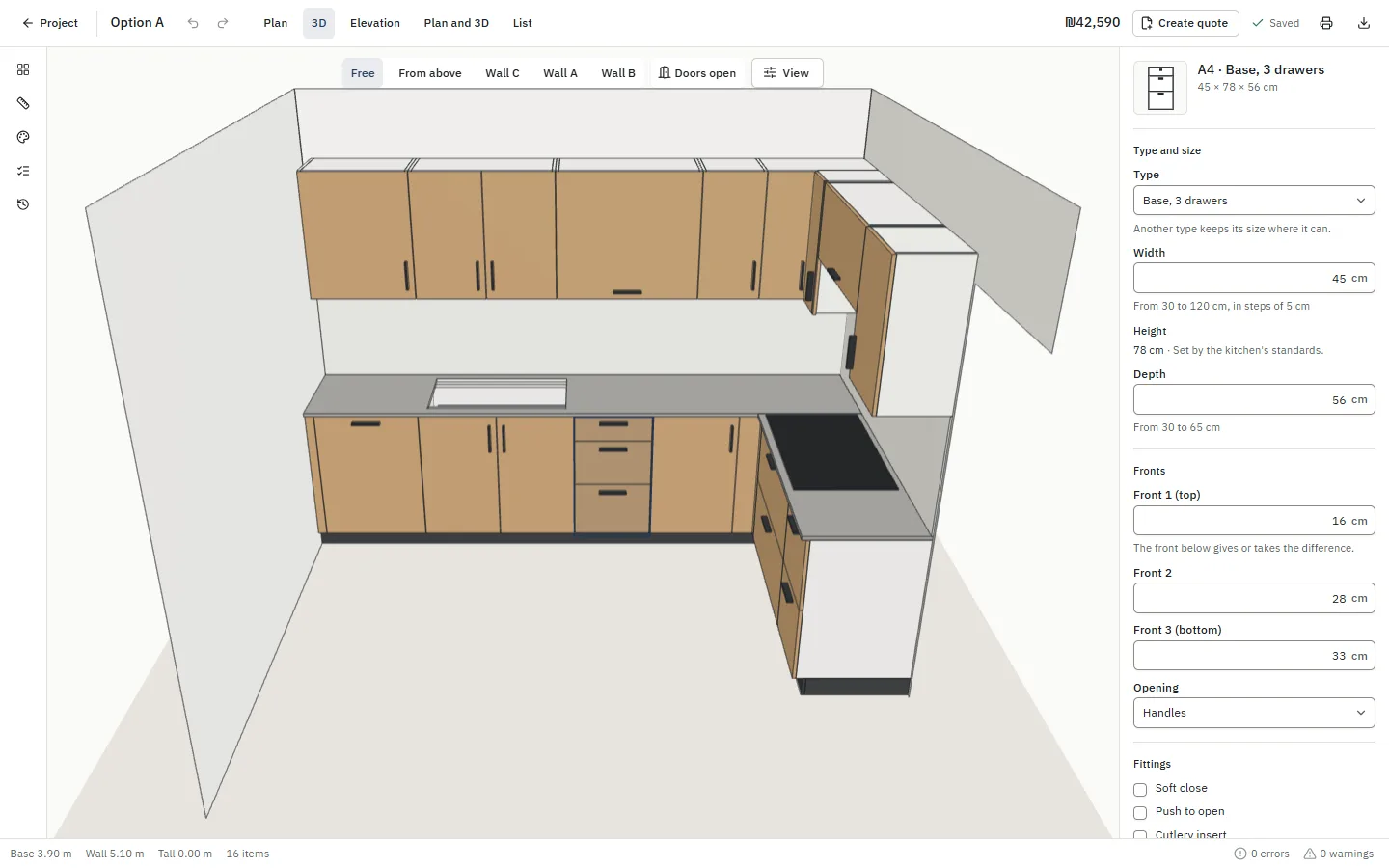
Draw your room, drag in cabinets in standard sizes and see it in 3D. Designing is free. When it's right, pay once for a pack your carpenter can build from.
From an empty room to a carpenter's pack
- 1
Measure and draw the room
Pick the shape, type the wall lengths, and mark the doors, windows, water and power.
- 2
Drag in cabinets
Base, wall and tall cabinets in standard sizes, appliances, a sink and a worktop.
- 3
Let it check your plan
It warns when a door hits the fridge or the dishwasher has no room, and says how to fix it.
- 4
Unlock the carpenter pack
One payment for this kitchen, and the drawings and lists are yours.
What your carpenter gets
- The plan and every wall, dimensioned
- A list of the cabinets with their sizes
- The fittings: hinges, runners, legs and handles
- A simplified parts list
- Your notes for the carpenter on the cover
What it costs
Designing is free, as long as you like.
Unlocking a kitchen's pack opens with payments, soon. Until then, design as much as you like.
Start planningQuestions
Do I need an account to start?
No. Start planning in your browser, and the design is kept on this device. An account keeps it online and lets you unlock it.
What sizes are the cabinets?
The standard sizes kitchens are made in: base cabinets 56 cm deep under a 60 cm worktop, widths in 5 cm steps, and wall and tall cabinets to match. Walls and fillers are set to the millimetre.
My carpenter builds to other sizes. Does that matter?
No. Change any cabinet's width, height or depth within what it's made in, and the drawings and lists follow.
Can I show it to my family?
Yes. An unlocked kitchen gets a 3D link that opens on any phone.