Everything comes from one plan.
Draw the room once and place the cabinets. The drawings, the quote, the 3D link and the workshop's lists are all read from that plan.
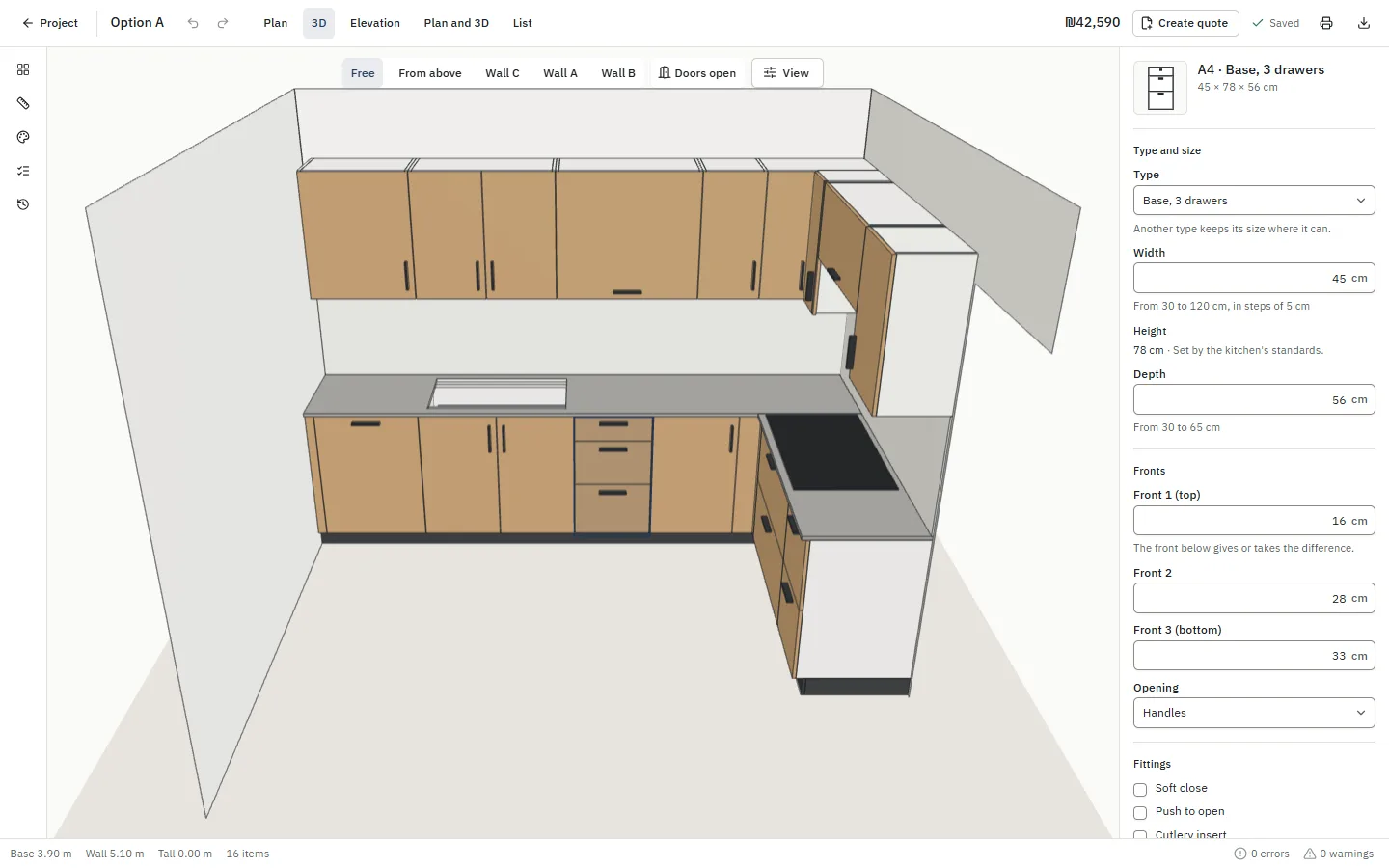
The editor
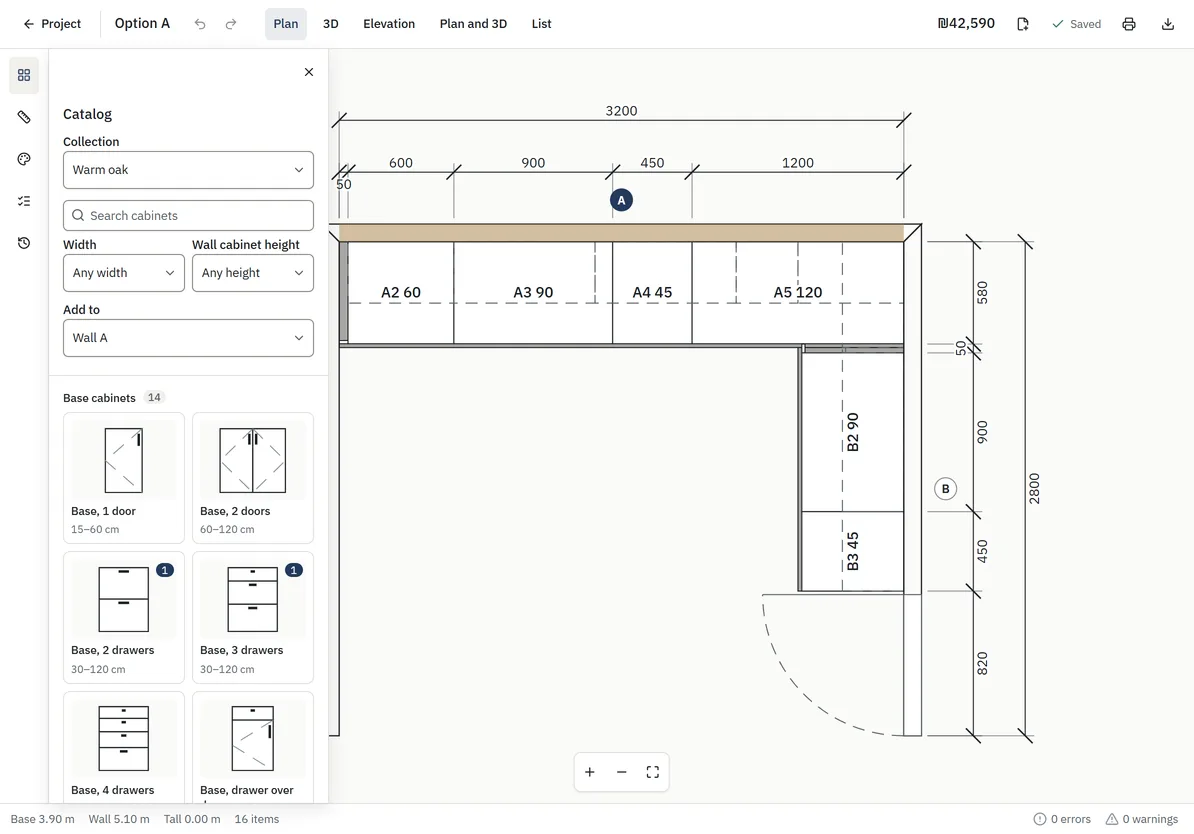
A plan, wall elevations and 3D, side by side or one at a time. Cabinets snap to the walls and to each other; corners, fillers and end panels fit as they would in the room.
- A catalog of base, wall and tall cabinets, corner systems, panels and appliances
- Width, height, depth, fronts, handles, shelves and fittings in one panel
- A style for the whole kitchen, changed in one place
- Undo, a list of every item, and keyboard shortcuts
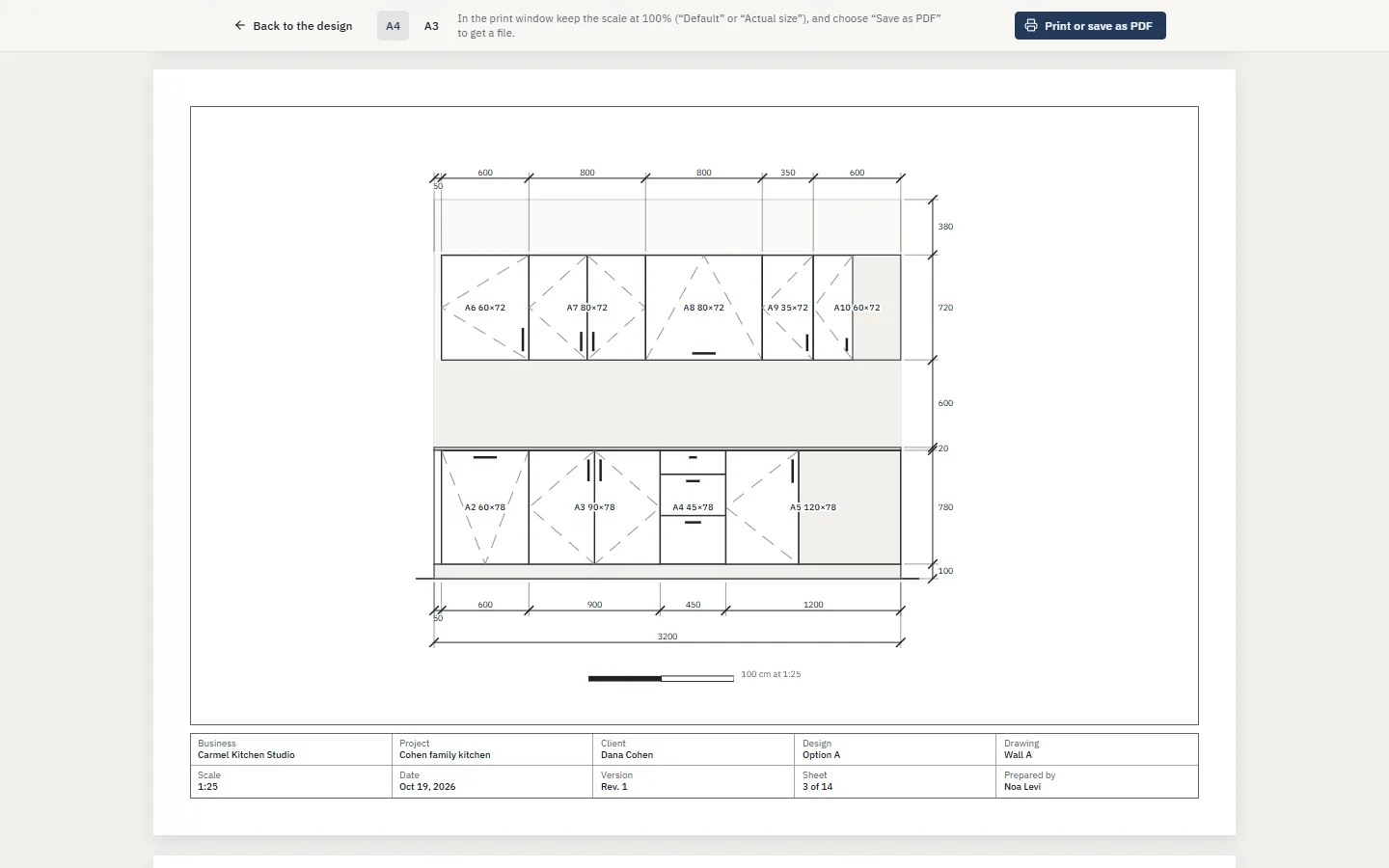
Drawings
A drawings pack to print or save as PDF: the plan, an elevation and a section for each wall, a sheet for each cabinet, and the schedules.
- A true scale on every sheet (1:10 to 1:50) with a scale bar
- A4 or A3, each with a title block: business, client, date and sheet number
- Cabinet sheets with the front, the inside and the shelf heights
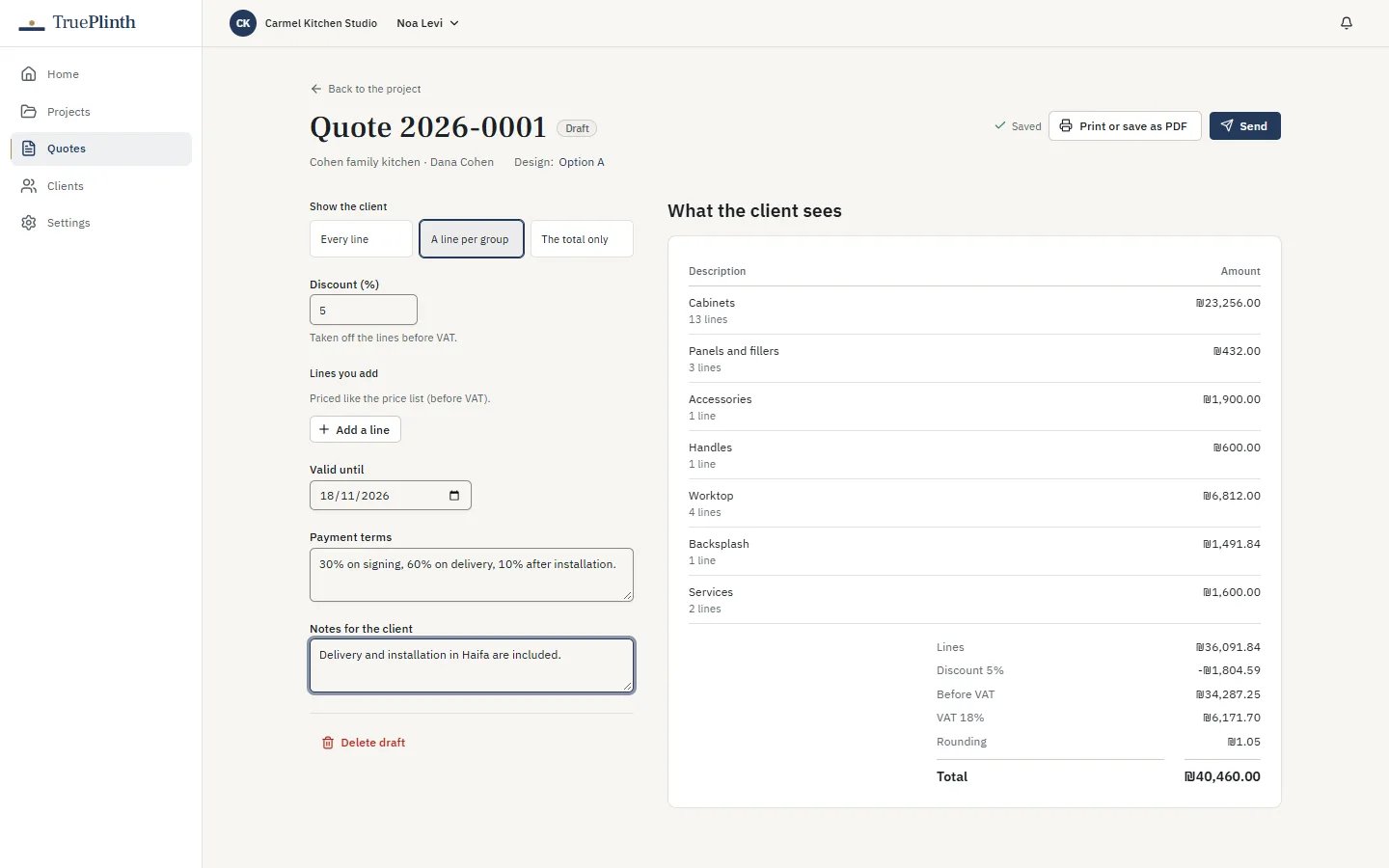
Quotes
A quote from the design, with your prices: as itemised as you want the client to see, with lines of your own, a discount within each role's limit, tax and rounding.
- Numbered quotes, frozen when sent; a change makes a new version
- A branded document with pictures of the kitchen, to print or save as PDF
- Approved online by the client, with the name and time recorded
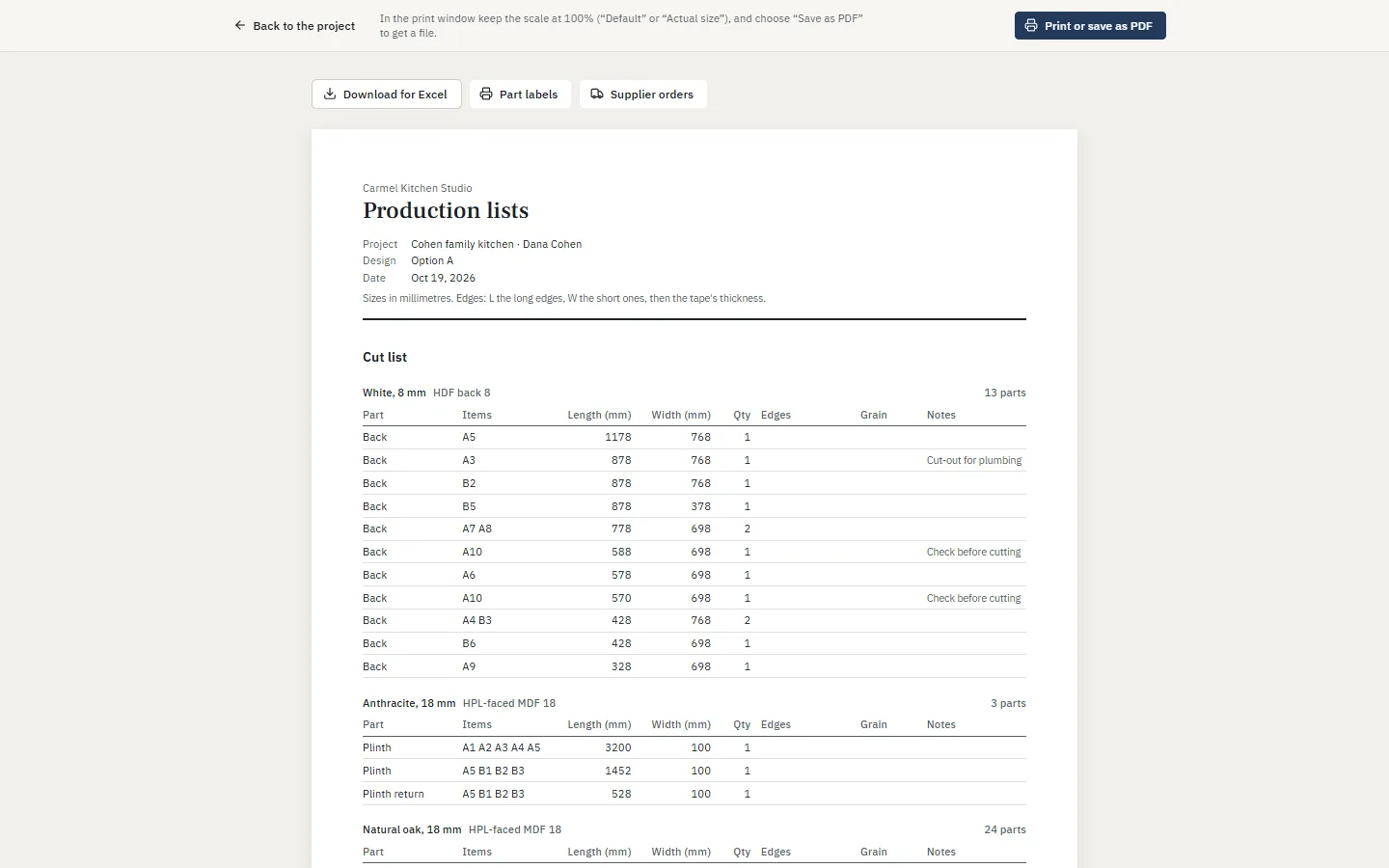
Production
The lists a workshop builds from, worked out from the cabinets: nobody counts doors by hand.
- A cut list by board and thickness, with grain and the edge banding of every side
- Hinges, runners, legs, shelf pins, handles and lighting, counted
- A label for every piece, 24 to an A4 sheet
- Downloads for Excel and for cutting software
3D sharing
A link for the client that opens on any phone: the kitchen in 3D with ready views and doors that open, the plan and the walls, and the quote with its approval.
- No account and nothing to install for the client
- Open until a date you choose; turn it off at any time
- You see when it was opened, and when it's approved
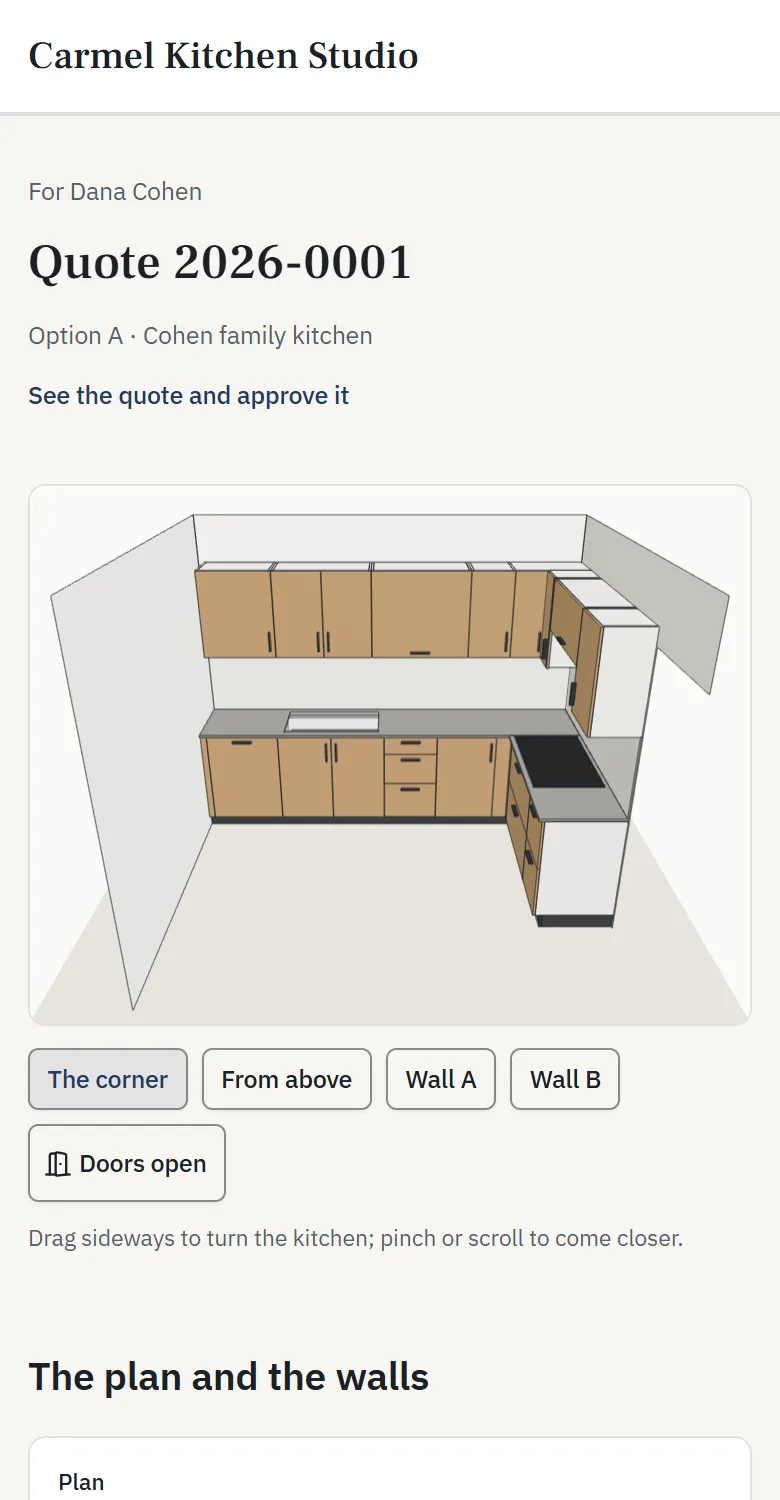
Phone and tablet
The full editor works by touch on a tablet, with larger handles and panels that slide up. On a phone, projects, quotes and clients are a tap away.
- Add it to the home screen; it opens full screen like an app
- Pinch to zoom, drag with a finger, long-press for more
See it on one of your own kitchens.
Book a demo and we'll draw one of your recent jobs with you.